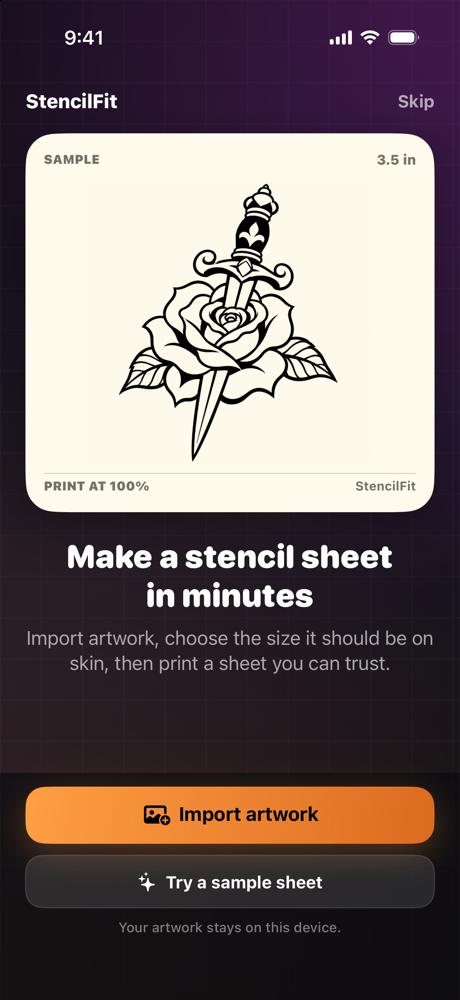
Set the real size
Choose a paper size and set the stencil’s dimensions before you make the PDF.
Tattoo stencil print studio
Set the physical size of your tattoo artwork, compare several sizes on one sheet, and export a PDF from your iPhone or iPad.
Free to start. No account required.
Built around the print
Print several sizes of the same design on one sheet and compare them before making the transfer.
Choose a paper size and set the stencil’s dimensions before you make the PDF.
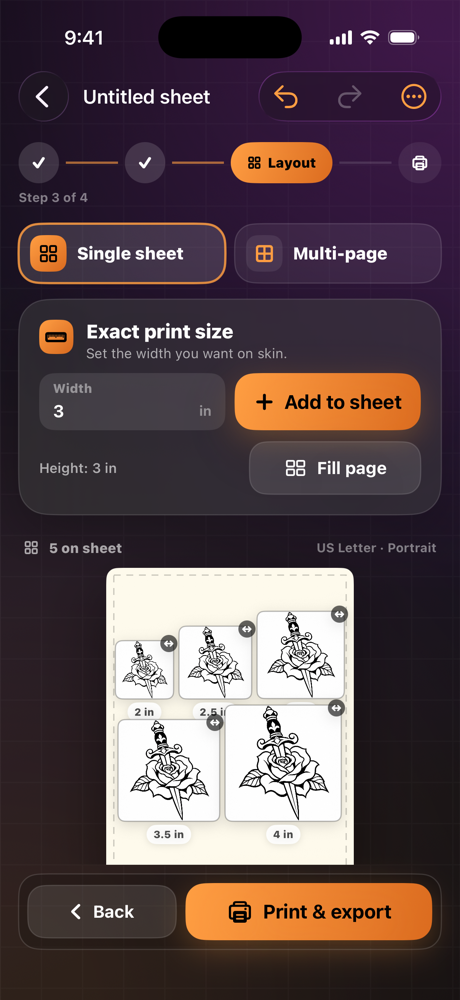
Lay out size options on one page, then choose the placement that reads right.
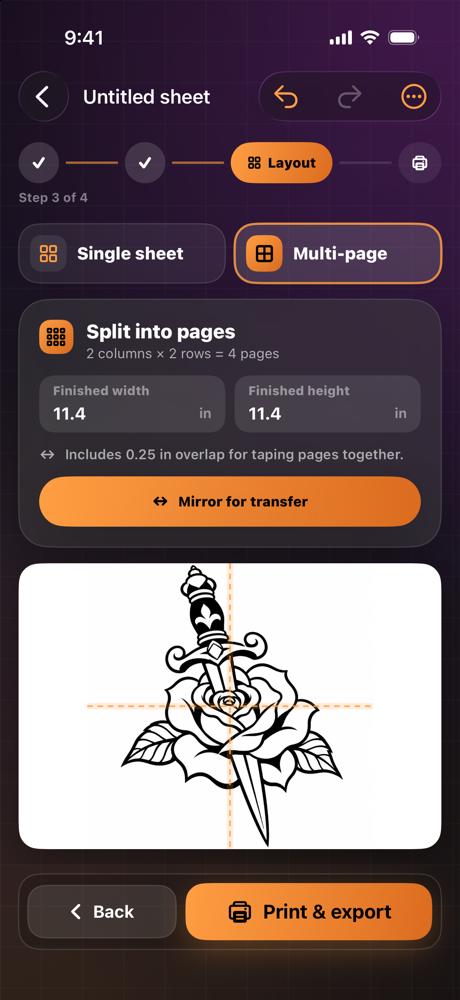
Set a finished target size and use numbered pages with overlap and alignment marks.
Screenshots show the StencilFit interface in the iPhone simulator.
A calmer print workflow

Printer guide
Print the free calibration sheet on the paper you plan to use and check its reference lines with a ruler. Read the exact-size printing guide.
Print at Actual Size or 100%. Do not use Fit to Page, Scale to Fit, or similar automatic scaling.
Use AirPrint. Before you confirm, open the printer options and select Actual Size or 100% if your printer provides that control. Turn off any setting that scales the page to fit. Apple’s AirPrint guide explains the iPhone print flow.
Export the PDF from StencilFit, then share it to a printer companion app that supports PDF imports, or move it to a computer to print. Check that app or computer’s print dialog for Actual Size or 100% and disable automatic fitting.
Print the matching calibration sheet at Actual Size or 100%, then measure the reference line with a ruler. If it is off, correct the printer’s scaling before printing your stencil.
Printer software, margins, paper handling, and automatic scaling vary. StencilFit prepares the layout, while the calibration check verifies your own printer and chosen print path.
Your artwork stays yours
Your artwork stays on your device. No accounts, ads, or tracking.
Get StencilFit